How to Explain Processes & Procedures Clearly | Business English for IT
How to Explain Processes & Procedures Effectively: A Practical English Guide for IT Professionals
Why Explaining Processes Is So Hard (Especially in English)
Whether you work in IT, operations, business analysis, customer support, or project delivery, there is one communication skill you need every single week:
👉 Explaining how things work.
How a ticket moves from L1 to L3
How a client escalation is handled
How a deployment pipeline flows
How a new employee accesses a system
How a data backup or security procedure runs
How an incident is escalated and resolved
But here’s what many non-native professionals feel:
“I understand the process. I just can’t explain it clearly in English.”
This happens not because of vocabulary gaps — but because process communication requires structure, not complexity.
That’s why I created this article.
To help you explain procedures clearly, confidently, and professionally using:
A simple 3-step method
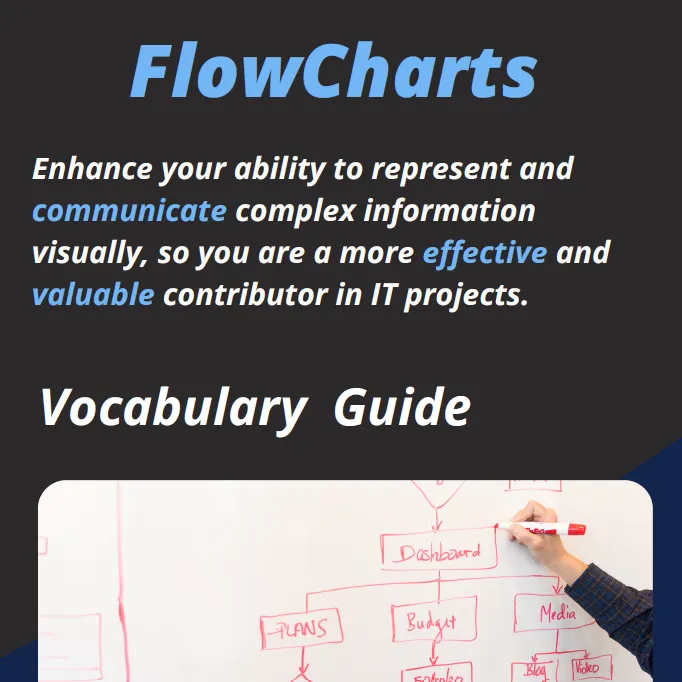
Flowchart vocabulary from your guide
P&P (Processes & Procedures) language
Transition phrases
Real IT examples
Templates you can copy and use
This article is also supported by the full Flowcharts & P&P Guide, available here:
👉 https://drive.google.com/file/d/1J-0G1rZyxzwZ61pEsx-to6JV_RsmyOu5/view
Let’s begin.
The 3-Step Method to Explain Any Process Clearly
1️⃣ Start With the Purpose (Why the Process Exists)
Most people begin explaining a process with details:
“First you log into the portal…”
“Then you open the ticket…”
But starting with actions is a mistake.
People need to understand the goal first.
✔️ Step 1: Say the purpose in one sentence
Template:
“The purpose of this process is to…”
“This procedure helps us ensure that…”
“We follow this workflow to make sure that…”
Real IT examples
Example 1 — Escalation Process
“The purpose of this escalation process is to resolve high-impact incidents quickly and ensure all stakeholders stay informed.”
Example 2 — Onboarding Access Procedure
“This procedure ensures that every new employee receives the correct system permissions before their first day.”
Starting with WHY creates clarity and prepares the listener for WHAT and HOW.
2️⃣ Highlight the Key Point (The Logic Behind the Steps)
Every process has one idea that holds everything together:
Who is responsible
When something moves
What triggers the next action
What defines success
People often understand steps but miss the concept behind them.
✔️ Step 2: Explain the “core logic”
Templates:
“The important thing to remember is…”
“What really matters here is…”
“The key idea behind this process is…”
Real IT examples
Example 1 — Backup Procedure
“The key idea is that every backup must be validated manually before we archive it.”
Example 2 — Software Deployment Workflow
“The important thing is that deployments cannot move to production unless all automated tests pass.”
This takes your explanation from “steps” to “understanding.”
3️⃣ Present the Steps (In a Clear Sequence)
Now you give the flow.
And here’s where the Flowcharts & P&P Guide becomes extremely useful.
The guide provides vocabulary for:
Flowcharts:
BPMN concepts:
Process transitions:
P&P template language:
“All requests must be submitted via…”
“The responsible team reviews…”
“If the issue persists, proceed to…”
How to Explain Steps Effectively: Use Simple, Sequential Language
Templates
“First…”
“Then…”
“After that…”
“At this point…”
“If yes, then…”
“If not, the process moves to…”
“Finally…”
Real IT examples
Example 1 — Explaining an Incident Management Process
Purpose:
“The purpose of this process is to ensure we resolve incidents quickly and efficiently.”
Key point:
“The key idea is that each incident is handled at the correct level of expertise.”
Steps:
“First, the incident is logged automatically by the monitoring system.”
“Then, L1 reviews the alert and assigns the priority.”
“If the issue cannot be resolved at L1, the ticket is escalated to L2.”
“If L2 identifies a system failure, the process moves to L3 for advanced troubleshooting.”
“Finally, once resolved, the technician updates the ticket and closes the incident.”
Clear. Logical. Professional.
Example 2 — Explaining a User Access Provisioning Procedure
Purpose:
“This procedure ensures every new user receives the correct permissions.”
Key point:
“The important thing is that access is granted only after approval from the line manager.”
Steps:
“First, HR creates the employee profile in the system.”
“Next, the line manager submits an access request.”
“After that, IT reviews the request and checks role compatibility.”
“If everything is correct, permissions are granted.”
“If there is an issue, IT requests clarification before continuing.”
“Finally, the user receives a confirmation email.”
This structure helps even if your English is not perfect.
Using Flowcharts to Support Your Explanation
When explaining a process:
✔️ Mention the diagram
“If you look at the diagram, you’ll see that the flow starts with…”
“This diamond represents a decision point…”
“This arrow shows when the process changes…”
✔️ Use flowchart vocabulary
“The process begins here…”
“This step triggers the next action…”
“This decision leads to two outcomes…”
✔️ Use transition vocabulary
“Meanwhile, the system performs a check…”
“At this stage, the analyst reviews the case…”
This makes your explanation clearer, more visual, and more structured.
Extra Phrases to Sound Like a Process Professional
Using language from the P&P guide, here are advanced expressions you can incorporate:
Opening a procedure explanation
“This procedure outlines the steps required to…”
“The workflow consists of four main phases…”
Explaining dependencies
“This step cannot begin until the approval is received.”
“This action triggers the next stage in the process.”
Explaining decisions
“If the request meets the criteria, it moves forward.”
“If not, it is returned to the requester for correction.”
Explaining responsibility
“The L2 team is responsible for validating the fix.”
“The Service Desk monitors this stage.”
Explaining outcomes
“At this point, the process is complete.”
“The output of this phase is a validated report.”
Common Mistakes When Explaining Processes (and How to Fix Them)
❌ Mistake 1: Starting with too much detail
✔️ Fix: Start with the purpose.
❌ Mistake 2: Not identifying the key idea
✔️ Fix: Use: “The important thing is…”
❌ Mistake 3: Telling the story chronologically
✔️ Fix: Use structured transitions (“First… then…”).
❌ Mistake 4: Mixing steps and explanations
✔️ Fix: Separate WHAT happens from WHY it happens.
❌ Mistake 5: Using overly technical vocabulary
✔️ Fix: Use functional, simple English for steps.
Q&A
Q: How do I explain a process clearly in English?
A: Start with the purpose → identify the key idea → describe steps using simple transitions.
Q: What vocabulary should I use to explain procedures?
A: Use phrases like “First… then… after that…” + “The important thing is…” + flowchart vocabulary like “decision point” and “trigger.”
Q: How do I explain technical workflows to non-technical colleagues?
A: Remove jargon, focus on the logic, and use examples and simple sequencing.
Final Thought: Clear Process Communication = Professional Impact
You don’t need perfect English to explain a process well.
You need:
clarity
structure
purpose
simple sequences
professional vocabulary
confidence
Use the 3-step method:
Purpose
Key point
Steps
And lean on the vocabulary and structures in your guide to sound professional and precise.
When you communicate processes clearly, you improve:
collaboration
decision-making
productivity
stakeholder confidence
your own visibility
This is one of the most valuable communication skills in IT.
